

Get Latest Tricks Alert Daily
Follow Readers
Showing posts with label Blogger Widgets and Plugins. Show all posts

How to Show or Hide Widgets in Blogger

8 comments
SHARE:
Some questions that are most asked are : How to Show blogger widget on homepage only? How can I show widgets only on sub pages? How can I hide widgets on Static pages? How to show widgets on selected pages in blogger? To answer all these questions today's tutorial will be a delicious one. Its really important to control widget Display in Blogger. some widgets are meant for homepage only while some makes sense when you show it at your Contact Pages, About Me pages or static pages.

Touch Me Share Widget for Blogs and Websites

5 comments
SHARE:
The rapid advancement and development of Social Media and growing interest of people in social networking sites has given birth to dozens of social sharing tools and services. Web masters are getting addicted to these tools because unlike organic traffic from search engines,

Facebook popup with twitter follow button & Email Subscription form!

10 comments
SHARE:
popup like box
Do you want to make more twitter followers, facebook likes & Email Subscribers? Then don't worry you don't need to install any popup windows and floating widget to your blog to get likes and flowers, here is a simple popup box which allows visitors to like with three option Email Subscription, Facebook like button & Twitter follower button in only one popup box.

Related Post widget with css hover effect

13 comments
SHARE:
related post widget
Today I am sharing Related post widget which is using in my blog. This related post widget was created with javascript and designed with css. it is easy to install on blogger templates no need to use linkwithin and other services to created this widget.

How to Add a Custom Header Element in Blogger ?
2 comments
SHARE:
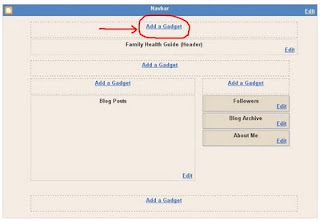
By default, Blogger offers you a default static blog header including title and description of your blog. Further you can display image or logo with your header too. Does it bugging you? The way how your header is. Do you think you could have done more to your header if you can use a custom header instead of default one? If you are not prefer the default header style, you will seek around a way to customize or add a custom header for your blog.

Add Flying Twitter Bird in Blogger or Wordpress!

4 comments
SHARE:
We sometimes visit blogs and see animated flying cute twitter bird. That looks very amazing indeed. One of my visitors requested me how to add an animated flying twitter bird in blogger. Well, you can easily add flying twitter bird in both blogger and WordPress. But the procedure is different in two section.

Submit your blog posts to major social bookmarking and networking sites at once

7 comments
SHARE:
Submit your blog posts to major social bookmarking and networking 
sites at onceSocial Networking and social bookmarking has become very popular among internet users, hence it has become very important for bloggers to target the social networking sites such as TwitterFacebookDigg etc. These services have become so huge that they have hundreds of millions of users worldwide. So it can become a good source of traffic for blogs and websites. Along with it these sites also provide a good source of link building. Now the problem is that there are so many sites and